Table of Contents
Travel Video Backup Guide for Solo Filmmakers: Establishing a reliable travel video backup system is perhaps the most critical skill for a professional creator, yet it is often the most overlooked until disaster strikes. There is no heartbreak quite like reaching the end of a stunning, month-long expedition through the Kerala backwaters only to realize your primary MicroSD card has corrupted or, worse, your only drive has gone missing in transit.
As a solo filmmaker, your footage is more than just memories—it is your professional currency and the result of your hard work. In this guide, I’m sharing my exact “fail-safe” workflow—the same one I use for My Travel Films—to ensure that every 4K frame you capture makes it from the field to your final edit safely.
The “Rule of Three” for Data Safety
In the filmmaking industry, we follow a standard known as the 3-2-1 backup rule. For a minimalist solo traveler, I’ve adapted this to be as lightweight as possible without sacrificing security:
- 3 copies of your data: You should have your original files and two distinct backups at all times.
- 2 different media types: Don’t keep all your eggs in one basket. Use a combination of high-speed MicroSD cards and a rugged external SSD.
- 1 copy off-site: This usually means a cloud-based backup. Having an off-site copy ensures that even if your entire gear bag is lost or stolen, your content survives.
When you are perfecting your travel video backup strategy, redundancy is your best friend. The golden rule is simple: Never delete footage from your camera’s SD cards until you have verified, with your own eyes, that the files exist in at least two other verified locations.
2. My Essential Travel Video Backup Hardware
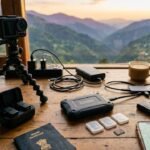
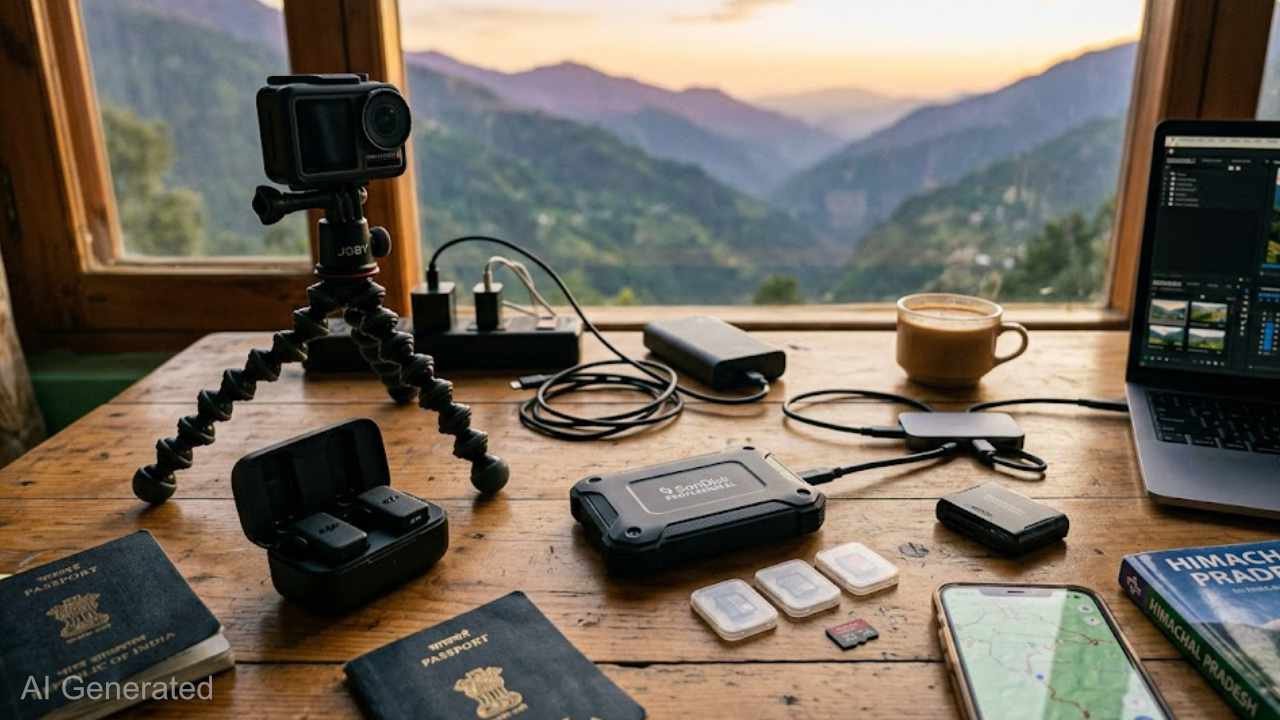
To keep my kit light but powerful, I rely on a few key pieces of gear from my Minimalist Camera Packing List. These items are selected for their durability in the varied climates of India, from humid coastal regions to the dry heat of the deserts:
- The Daily Workhorse: Seagate Passport External HDD (4TB). This drive is the backbone of my travel video backup routine. It’s rugged and small enough to fit in the palm of my hand. I offload my DJI Osmo Action 5 Pro footage to this every single night. Its fast read/write speeds mean I’m not sitting up for hours waiting for transfers to finish.
- The Archive: I carry a second, higher-capacity HDD (or a second SSD) that stays hidden in my main luggage at the hotel or hostel. This serves as the “vault” copy that doesn’t leave my room during daily shoots.
- High-Speed Cards: I use multiple 128GB SanDisk Extreme Pro cards. By using smaller, multiple cards rather than one massive 1TB card, I spread the risk. If one card fails, I only lose a fraction of my trip, not the whole story.
3. The Nightly Workflow: “The Sacred Hour.”
Consistency is the difference between a hobbyist and a professional. Every evening, regardless of how exhausted I am from a long day of vlogging, I set aside “The Sacred Hour” to follow this routine:
- The Offload: I connect my Action 5 Pro and the SanDisk SSD to my laptop. I use a high-quality USB-C cable to ensure the fastest possible transfer.
- Organization: This is where the magic happens. I don’t just dump files into a “New Folder.” I rename every folder by
Date_Location_Subject. For example, a folder might be titled2026-04-10_Varanasi_Ghat_Aarti_B-Roll. Inside, I separate “A-Roll” (talking to the camera) from “B-Roll” (scenery). This meticulousness saves me dozens of hours during the editing phase. - The Verification: Once the transfer is complete, I never just trust the progress bar. I spot-check at least three or four clips from different parts of the day. I listen specifically to ensure the DJI Mic Mini audio is synced and clean, and I check that the 4K files are playing back smoothly without glitches.
4. Cloud Backup: The Ultimate Safety Net
Digital physical storage is great, but the cloud is your insurance policy against physical loss. Whenever I have access to high-speed Wi-Fi, which is becoming easier to find in modern Indian cafes and boutique homestays. I prioritize uploading my most important files.
I focus on my “A-Roll” and my best cinematic sequences first, uploading them to Google Drive or Frame.io. These are the “narrative pillars” of my film. If my physical drives were ever lost or damaged, having these core clips in the cloud allows me to still tell the story, even if I have to sacrifice some of the extra B-roll.
5. Mobile Management for Social Media
As a modern creator, I need to stay active on social media while the journey is still happening. To do this without cluttering my main backup drives, I maintain a mobile-first workflow:
Using the DJI Mimo app, I wirelessly transfer the most “social-ready” cinematic moments from the Action 5 Pro directly to my smartphone. I keep a curated folder on my phone titled “Best Clips,” which I back up to my phone’s native cloud storage (iCloud or Google Photos). This allows me to edit Reels and Shorts on the go while knowing those specific highlight clips are safely backed up in yet another location.
Final Thoughts
Implementing a solid travel video backup system might feel like a tedious chore at the end of a long day, but it is the ultimate insurance policy for your creativity. Your gear can be replaced, but your unique experiences and the footage you’ve captured cannot. Treat your data with the same respect and care you treat your camera, and you’ll never have to experience the heartbreak of a “lost trip.”
Let’s Connect! 🎥
Want to see the cinematic results of this rigorous backup workflow? Join my community and see how I bring my travel stories to life:
- YouTube: Subscribe to Sapna Sharma Films for cinematic travel vlogs and filmmaking tutorials.
- Instagram: Follow @SapnaSharmaFilms for daily BTS, gear setups, and mobile editing tips.
- Facebook: Join the Sapna Sharma Films Community to connect with fellow travel creators.
Looking for the best way to carry and protect this tech? Read my